

CL-027Clinical Documentation
Evaluation Charge Roll-Forward
Clinical Experience & Provider Productivity
Recommended pathConfigure / Activate
- Capability status
- To be confirmed with PRN
- Transformation phase
- To be confirmed with PRN
- Effort
- To be confirmed with PRN
Current State / What We Learned
Observed today, as captured in the corrected assessment.
Evaluation charge currently rolls into the next daily note unless configuration is changed
Desired Future State
The target way of working PRN and Raintree are aiming for.
Prevent evaluation charge from appearing on subsequent daily notes
Requirement / Gap
Ensure evaluation codes apply only to the appropriate encounter
Raintree Recommended Path
- Change applicable evaluation configuration/default to prevent roll-forward
- Raintree can configure the Time column to not roll forward on the Service-Based tab of Activity Log. Recommend setting the Evaluation line / any templates to default a specific entry within the CPT code column. For example “Evaluation - [SB]” We can then adjust a setup option to default Done Today to No for anything marked “SB”
Dependencies / Considerations
Configuration must be validated across templates
Outstanding Questions / Decisions
Which TVIST/configuration should be standardized enterprise-wide?
Evidence
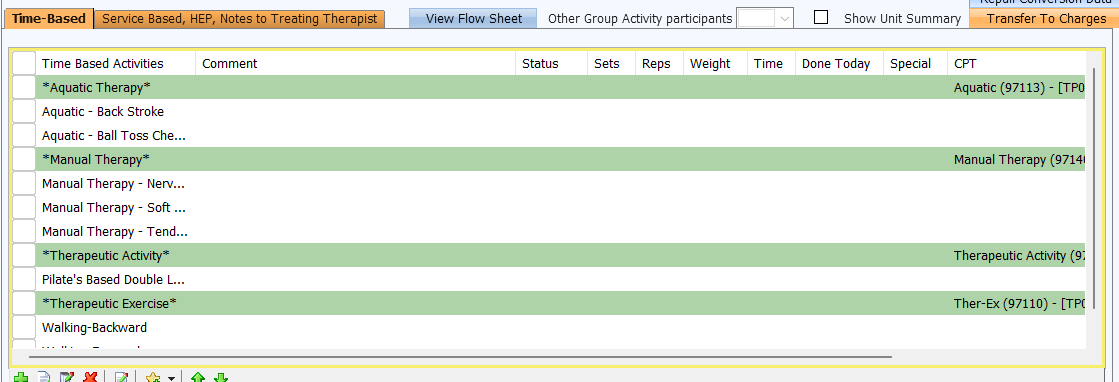
Supporting screenshots from the corrected Detailed Transformation Assessment.
Source
Detailed Transformation Assessment (Corrected)Related opportunities
Related by workstream and subject matter. These are not stated dependencies unless the assessment says so.